You opened Robot IQ from Publish. This page explains what happens to an approved procedure when it is sent to Robot IQ, using a real EON Genesis training as the example.Back to Handover
EON Handover already turns an expert's know-how into an approved procedure and every training format. Robot IQ is one more format: the same approved procedure, plus a few recorded moves, becomes a Robot IQ Skill Pack, a tested software skill that a robot arm loads and runs.
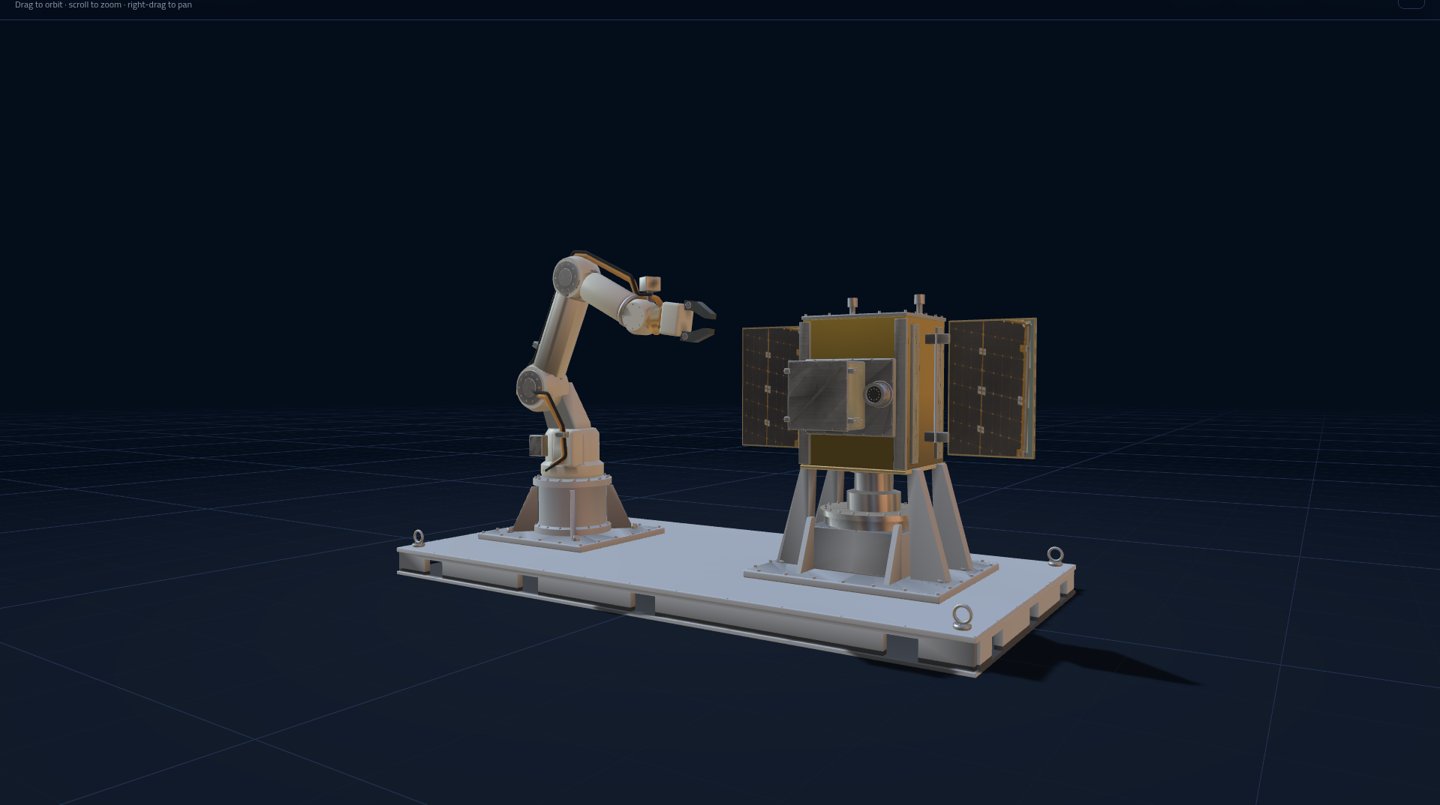
The worked example: a robot arm and a satellite payload in the EON Genesis training "EON Space — Robot Payload Transfer & Latch Recovery".New · first real NVIDIA Isaac Lab training run
Real run (Oct 31, 2026): a Robot IQ Skill Pack learns to close a valve
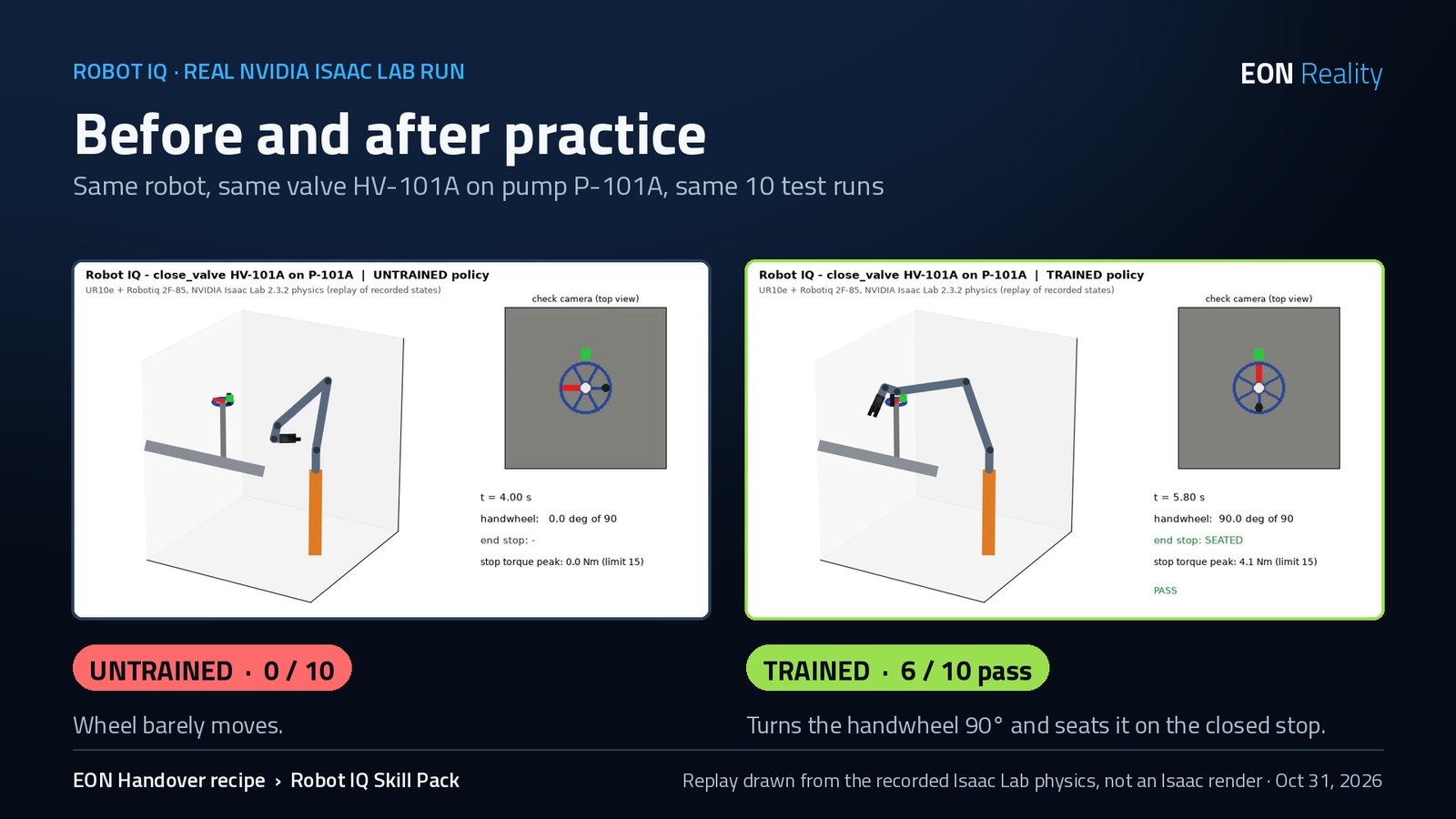
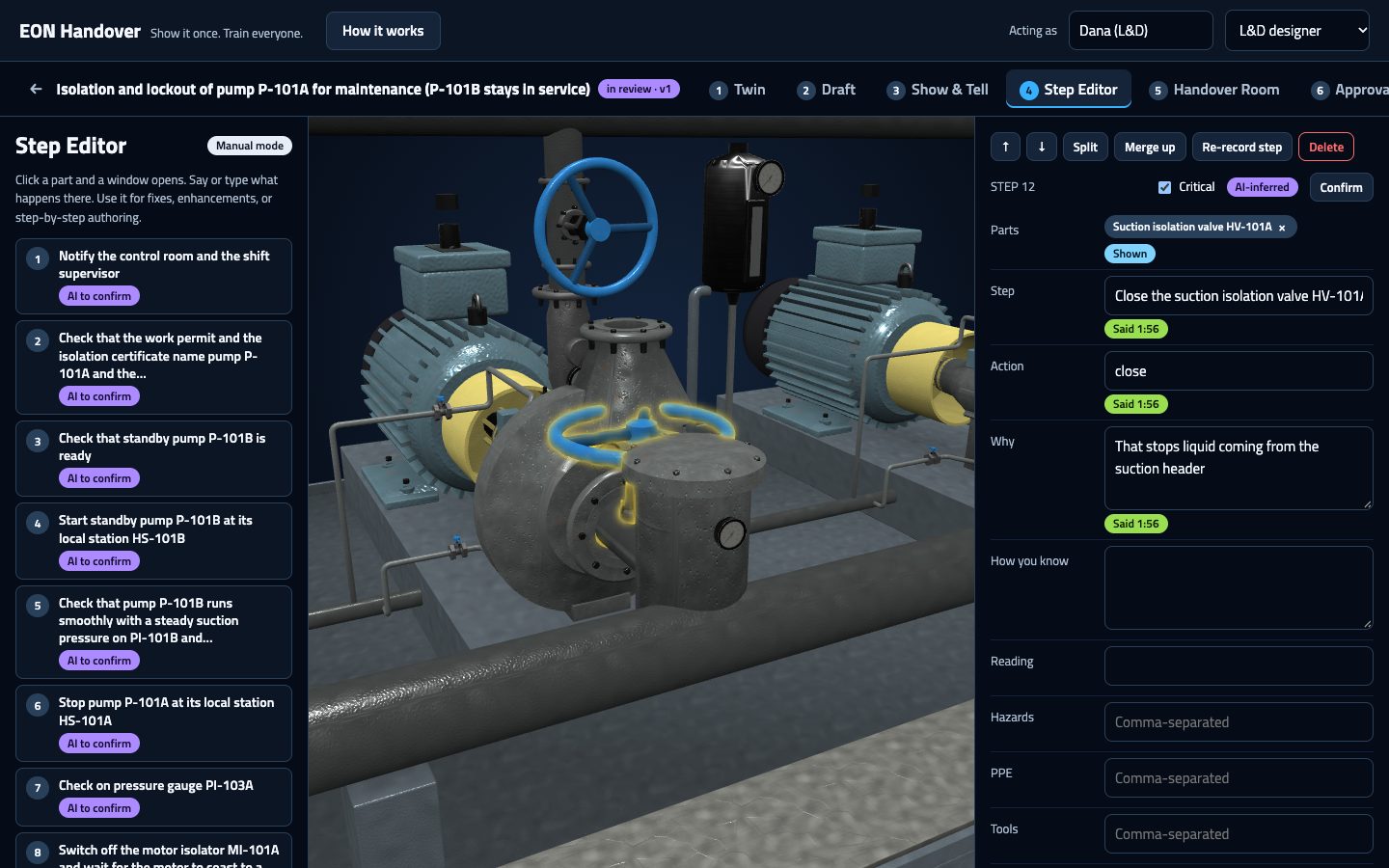
The first real training run of a Robot IQ Skill Pack, made from an EON Handover recipe: step 4 of the P-101A isolation procedure, "Close suction valve HV-101A, fully, clockwise, until seated", with its done-check (the indicator must read CLOSED), its hazard (stored pressure) and its critical-step flag. A UR10e arm with a Robotiq 2F-85 gripper learned the step from scratch in NVIDIA Isaac Lab 2.3.2 / Isaac Sim 5.1, on one NVIDIA L40S cloud GPU. This is a simulation proof and a first run, not a real-robot test.
"Robot IQ in action" (81 s): Handover recipe, the Isaac Lab scene, practice, untrained vs trained, the safety stop and the 6/10 result. Download the MP4 ↓
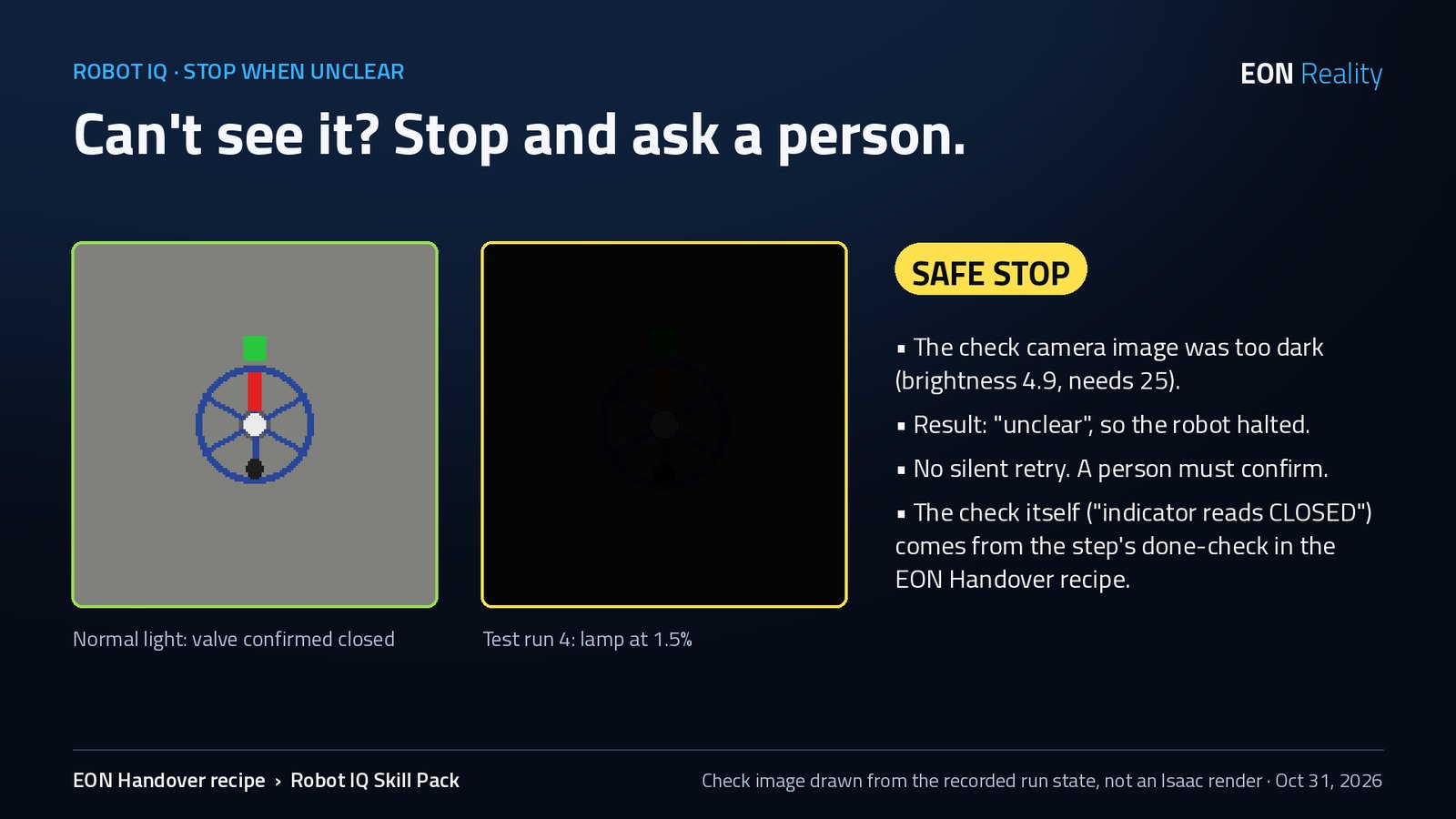
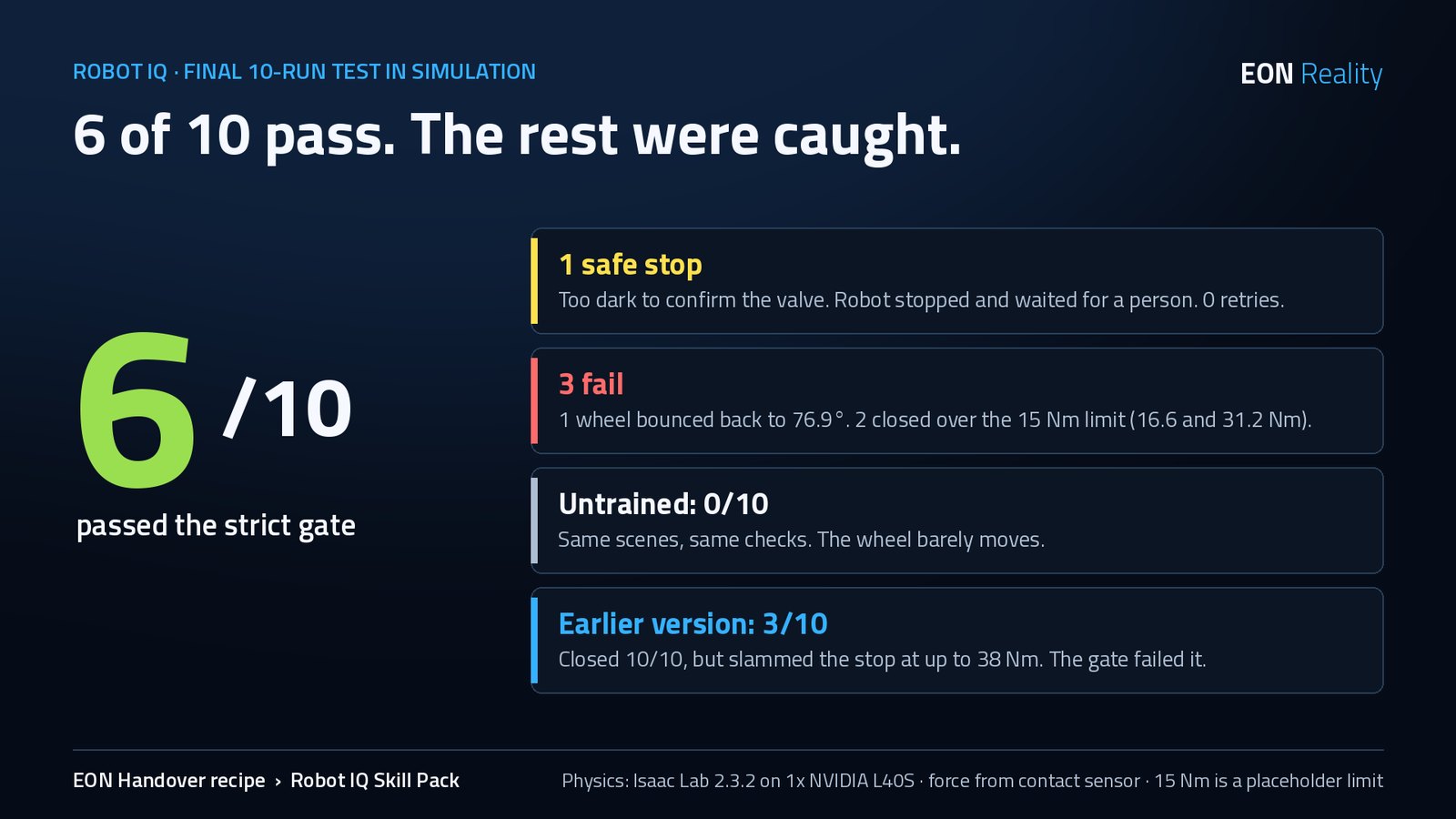
1 safe stoptoo dark to confirm the valve, so the robot stopped and waited for a person, no retry
3 fail1 bounced back to 76.9°; 2 closed over the 15 Nm limit (16.6 and 31.2 Nm)
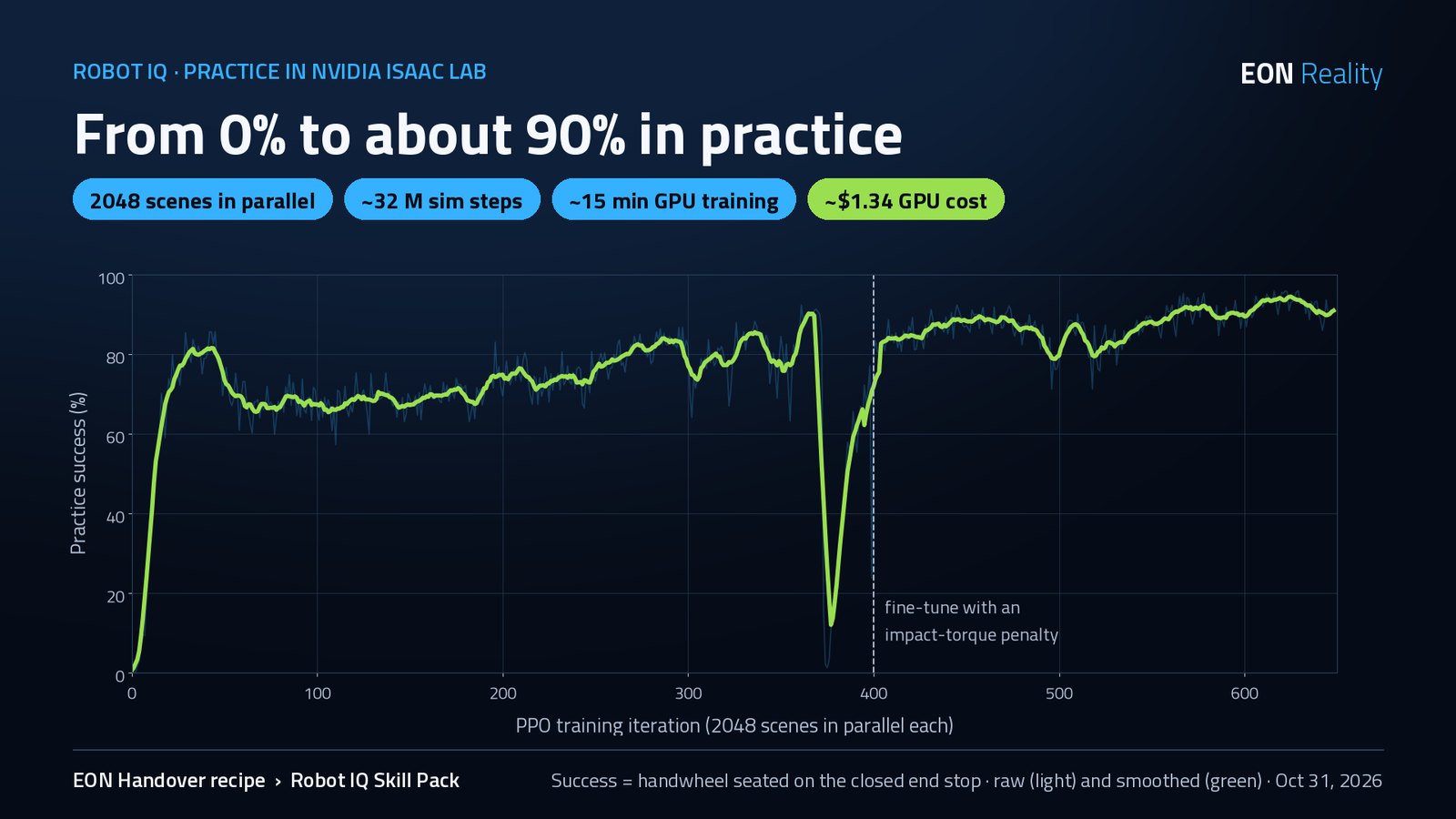
0% → ~90%practice success over 649 training rounds
2,048copies of the scene practising at once
~32 Msimulation steps
~15 minof GPU training (1 h 14 min total session)
~$1.34GPU cost for the whole session
The checks did their job. An earlier version closed all 10 valves but slammed them shut at up to 38 Nm, so the test gate scored it 3 / 10. A short extra round of training with an impact penalty brought it to 6 / 10. The dark-camera run shows the rule every Robot IQ Skill Pack keeps: if the done-check is "unclear", the robot stops and a person decides.
Before and after practice: same robot, same valve, same 10 test runs.Practice success, from 0% to about 90%. The dashed line is the start of the impact-penalty fine-tune.Test run 4: lamp at 1.5%, check image "unclear", so the robot stopped.The final 10-run test in simulation.
Honest notes
Simulation only, first run. No real robot was used. 10 test runs is a small sample.
Pictures are not Isaac renders. Isaac Sim's camera renderer crashed with the cloud machine's NVIDIA driver (595), so the test ran physics-only and recorded every robot and valve state; the video and check images are drawn from those recorded states.
The valve is a stand-in model, not a CAD model of HV-101A.
How it closes: the arm mostly turns the wheel by pushing the rim with its wrist, not by gripping the knob. A grasp-based skill needs more training.
Force comes from a simulated contact sensor, not a torque sensor, and the 15 Nm limit is a placeholder until the procedure owner sets the real one.
Why it exists
Robots are getting good bodies and good general "brains". What they still lack is the job: which part comes first, what done looks like, which safety rule must never be broken, and when to stop and ask a person. That is exactly what an expert gives Handover. A robot needs one more thing a person does not: the moves, recorded on the robot's own body.
What Handover already captures: the recipe
Ordered steps, each tied to a named part on the twin
The reason for each step and how you know it is done
Safety rules, critical steps and person-only steps
Named approvals, with HSE sign-off on critical steps
What Robot IQ adds: the moves
A "Record the moves" step: an operator drives the robot through each step in simulation
Every recording linked to its Handover step
Simulation multiplies a few good runs into hundreds of varied ones
An open robot model learns the skill; the result ships as a Skill Pack
Handover is the Skill Pack factory. The expert's approved procedure is the recipe. Robot IQ adds a "record the moves" step, practises the job in simulation, trains a small robot brain on it and packages the result as a Robot IQ Skill Pack: model weights plus a manifest that names the skill, the robot, the safety limits and the version.
How it works
Five stages. The expert's procedure is the recipe, an operator records the moves, simulation does the practice, a small open model learns the skill, and the Skill Pack is tested before any real robot uses it.
1RecipeThe approved Handover or Genesis procedure: steps, parts, safety rules and done-checks.
›
2Sim sceneThe robot and the equipment are brought into NVIDIA Isaac Sim, which is free, with working joints and cameras.
›
3Record the movesAn operator drives the arm through the steps with a keyboard or spacemouse: 10–20 good demonstrations.
›
4Practise & trainIsaac Lab Mimic expands them to hundreds of varied runs; a small open robot model is fine-tuned on one rented GPU.
›
5Skill PackWeights plus manifest, tested in simulation. The arm does the job on its own, ready for a real-arm pilot.
➜
What happens when you press "Send to Robot IQ"
On the Publish screen, Robot IQ sits next to the SOP, the slides and the Genesis simulation. It uses the same approved, versioned record. Pressing Send to Robot IQ hands that version to the Robot IQ pipeline and shows a confirmation with each stage.
Only approved versions go. Drafts, unconfirmed AI suggestions and steps without named sign-off are never sent.
Person-only steps stay with people. Steps the procedure marks for a person (for example fitting locks and tags, or signing a permit) are never given to the robot.
Consent is checked. Recordings are used for robot training only where the expert and the customer agreed to it.
The record stays the master. Change a step in Handover and a new version, with a new Skill Pack version, follows the same path.
🤖
Sent to Robot IQRobot Payload Transfer & Latch Recovery · version 1 · robot: 6-axis arm, two-finger gripper (simulation)
In progress
📋
1 · Recipe received
10 steps, 6 parts, 10 safety rules, done-checks. Steps 2–7 selected for the robot.
Done
🧩
2 · Simulation scene
Arm, satellite fixture, latches and stand set up in NVIDIA Isaac Sim with working joints.
Now
🎮
3 · Record the moves
An operator records 10–20 good runs per step. Each is linked to its Handover step.
Next
🔁
4 · Practise in simulation
Isaac Lab Mimic turns the recordings into hundreds of varied practice runs.
Queued
🧠
5 · Train the robot brain
A small open-weights model (SmolVLA or GR00T N1.x) is fine-tuned on one GPU.
Queued
💾
6 · Build the Skill Pack
Weights plus manifest: skill, robot, safety limits, version.
Queued
✅
7 · Test in simulation
The arm runs the steps on its own in varied scenes. Release needs a named approver.
Queued
Illustration of the confirmation screen. You get a notice when a stage needs a person, such as the operator for "Record the moves" or the approver for release.
The worked example: a robot arm and a satellite latch
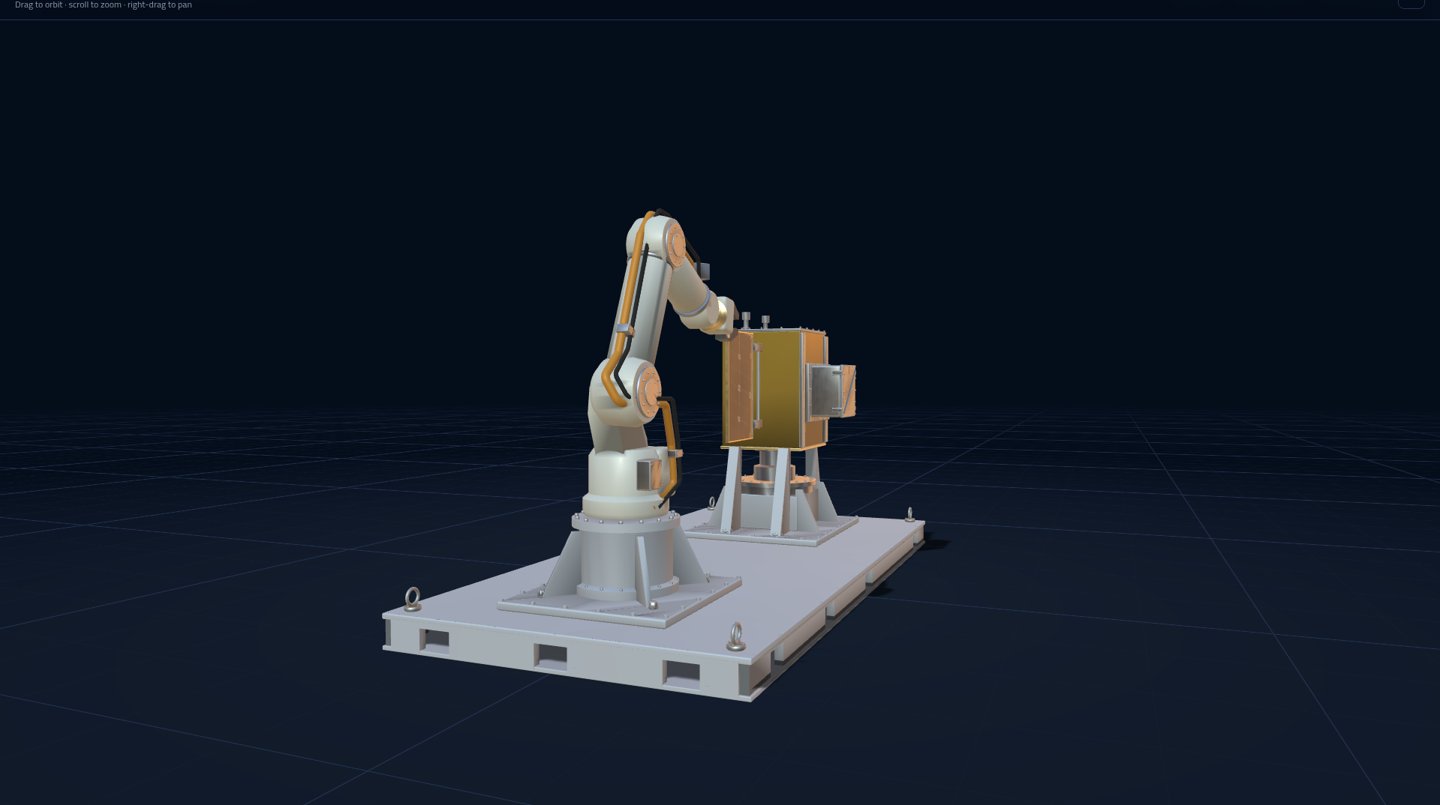
The example is an EON Genesis training, "EON Space — Robot Payload Transfer & Latch Recovery — S04 (improved)". A white 6-axis industrial arm on a fixed pedestal, with a two-finger parallel-jaw gripper, takes the payload module out of a satellite, places it on an inspection stand and returns it. On the way it releases and closes four latches, and it has to catch a false all-clear before it withdraws the payload. It is a robot arm, not a humanoid.
10 stepseach with its own safety rule
6 partsfixture, shoulder, gripper, two latches, payload
≈ 8 minfor a person to train, guided by Katya, the AI avatar
Steps 2–7the first Skill Pack: grasp, latches, place on the stand
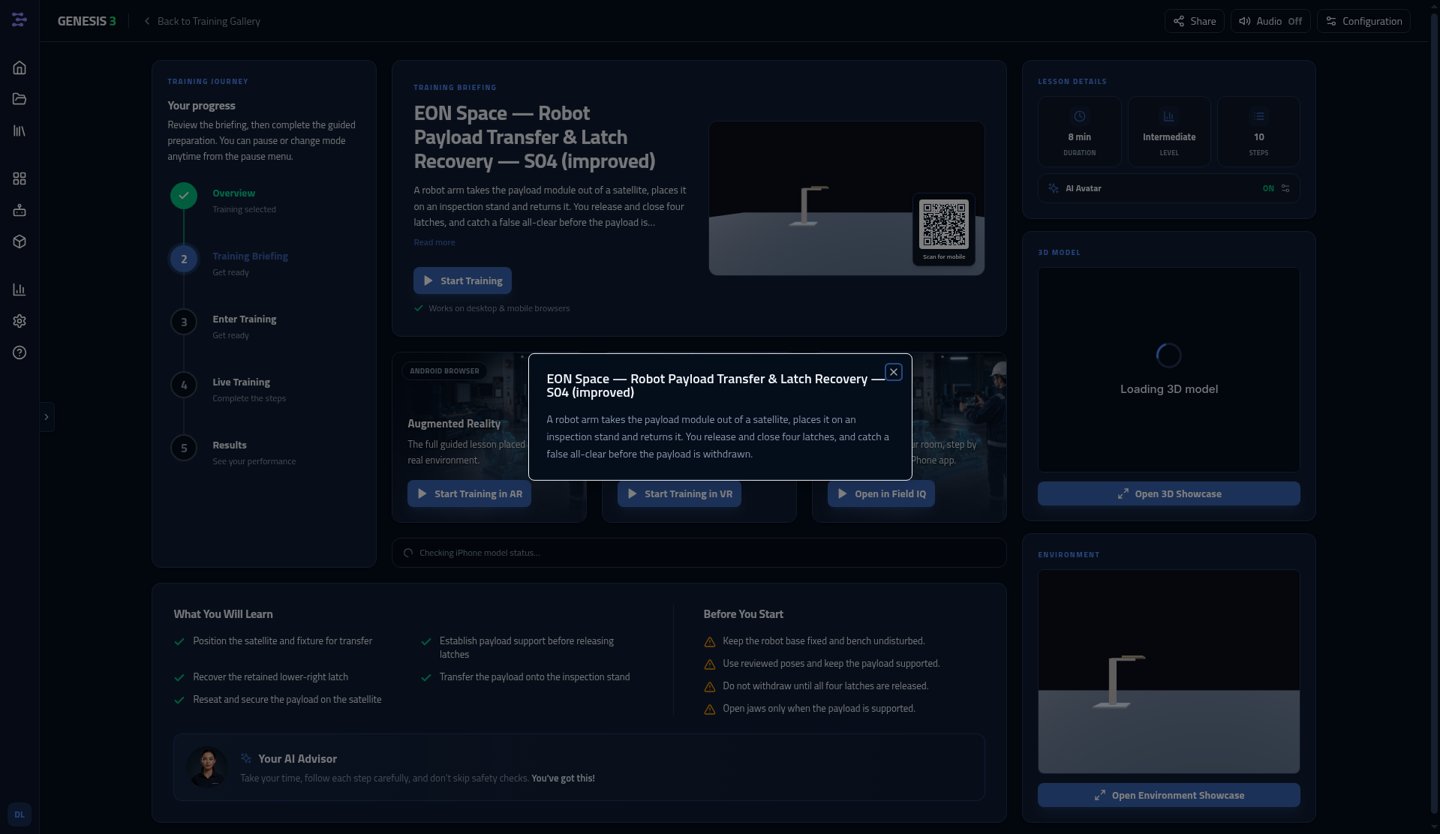
The Genesis briefing: what the trainee will learn and the safety rules before they start.The arm on its fixed pedestal, the satellite on its fixture. This model is the starting point for the simulation scene.
#
Step
Safety rule
In the first Skill Pack
1
Move the fixture to the transfer position
Keep clear of the arm and fixture while they move.
Set-up, scripted
2
Open the gripper and approach
Keep clear of the arm while it moves.
Learned
3
Grasp the payload
Do not open any latch before the jaws hold the payload.
Learned
4
Release three latches
Keep the jaws closed on the payload while the latches open.
Learned
5
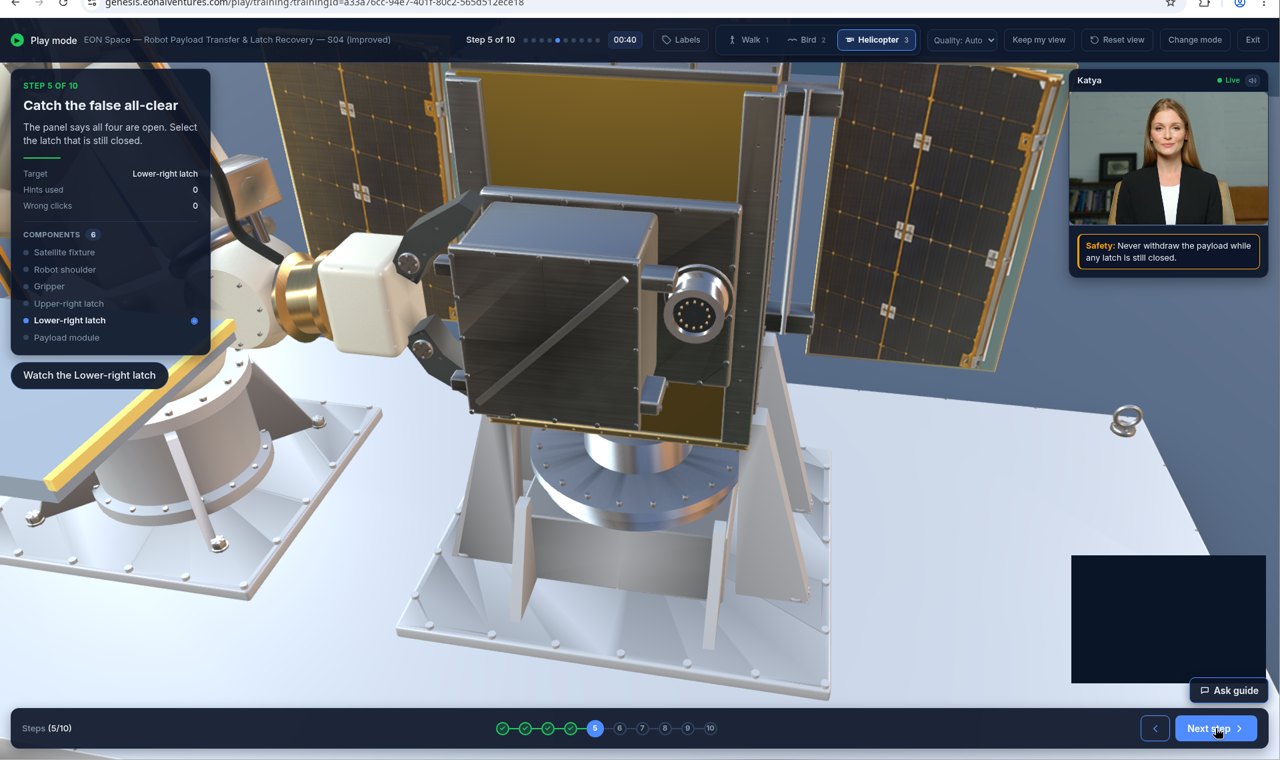
Catch the false all-clear. The panel says all four latches are open, but the lower-right latch is still closed.
Never withdraw the payload while any latch is still closed.
Learned + check
6
Withdraw and lift the payload
Withdraw only after all four latches are visibly open.
Learned
7
Place the payload on the inspection stand
Open the jaws only after the payload rests on the stand.
Learned
8
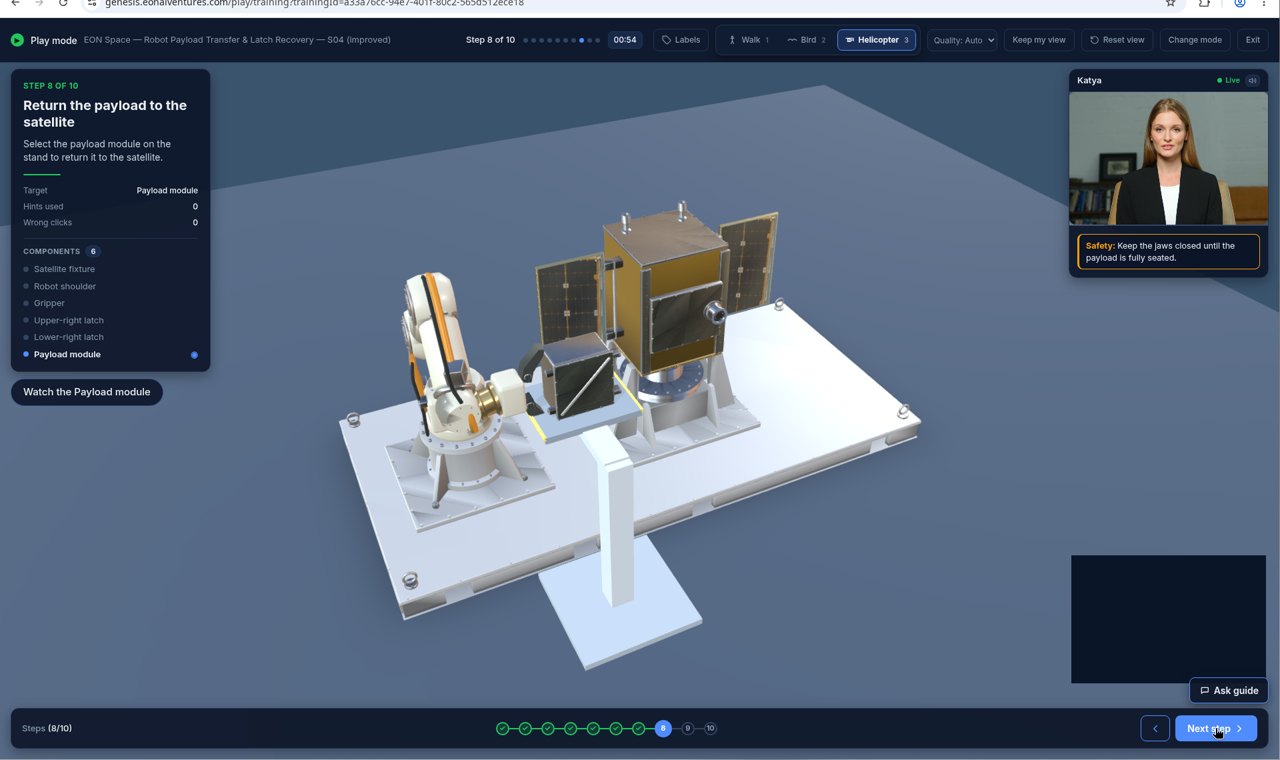
Return the payload to the satellite
Keep the jaws closed until the payload is fully seated.
Next Skill Pack version
9
Close all four latches
Check that each latch is fully closed before the robot lets go.
Next Skill Pack version
10
Release and send the robot home
Keep clear of the arm while it returns home.
Set-up, scripted
The teaching point: step 5. The robot has to learn the safety check, not just the movements. The panel reports all four latches open, but the lower-right latch is still closed. A robot that only copies motions would trust the panel and pull. A Robot IQ Skill Pack carries the rule from the procedure ("never withdraw while any latch is still closed") and a done-check that looks at each latch, so the arm checks for itself, finds the closed latch and deals with it before step 6.
Step by step
How the latch procedure became a Robot IQ Skill Pack
Seven stages, from the approved procedure to an arm that does the latch job on its own in simulation. This is the near-zero-cost path: free NVIDIA tools, open-weights models and one rented GPU.
1
Recipe: the expert's procedure
The Handover or Genesis procedure becomes the recipe. Nothing new is written for the robot: the same approved steps that train people are exported as an eon-task-capture/0 record.
Steps and parts. Each step names the part it acts on: satellite fixture, gripper, upper-right latch, lower-right latch, payload module.
Safety rules become hard rules. "Do not open any latch before the jaws hold the payload" becomes a condition the robot must meet before step 4 can start.
Done-checks. Each step ends with how you know it is done, for example "all four latches visibly open".
Only confirmed fields. AI suggestions that nobody confirmed are left out.
// eon-task-capture/0 · step 5 (excerpt)
{ "stepId": "s5", "n": 5,
  "title": "Catch the false all-clear",
  "action": { "text": "Check every latch; open any still closed",
              "verb": "inspect", "args": { "parts": ["latch_ur", "latch_lr"] } },
  "check":  { "kind": "visual", "expected": "all four latches open" },
  "safety": "Never withdraw the payload while any latch is still closed.",
  "critical": true, "personOnly": false,
  "motion": [ /* recordings linked in stage 3 */ ] }
In Handover, every field shows where it came from. Only approved, confirmed fields go to Robot IQ.
2
Into NVIDIA Isaac Sim
The arm, the satellite and the latches are brought into NVIDIA Isaac Sim, NVIDIA's free, open robot simulator. Genesis animations are scripted and do not contain joint paths, so the 3D model is what carries over, not the animation.
Model in. The Genesis GLB model (the "S04 Robot Transfer Training Copy", which has a named vision sensor) is converted to USD, Isaac Sim's scene format.
Joints added. The arm's six axes, the gripper jaws, each latch and the fixture get real joints and limits, so they move with physics instead of animation.
Cameras placed. A wrist camera and a scene camera give the robot the same view the done-checks need.
Part names kept. Parts keep their Handover IDs, so every recording can be linked back to its step.
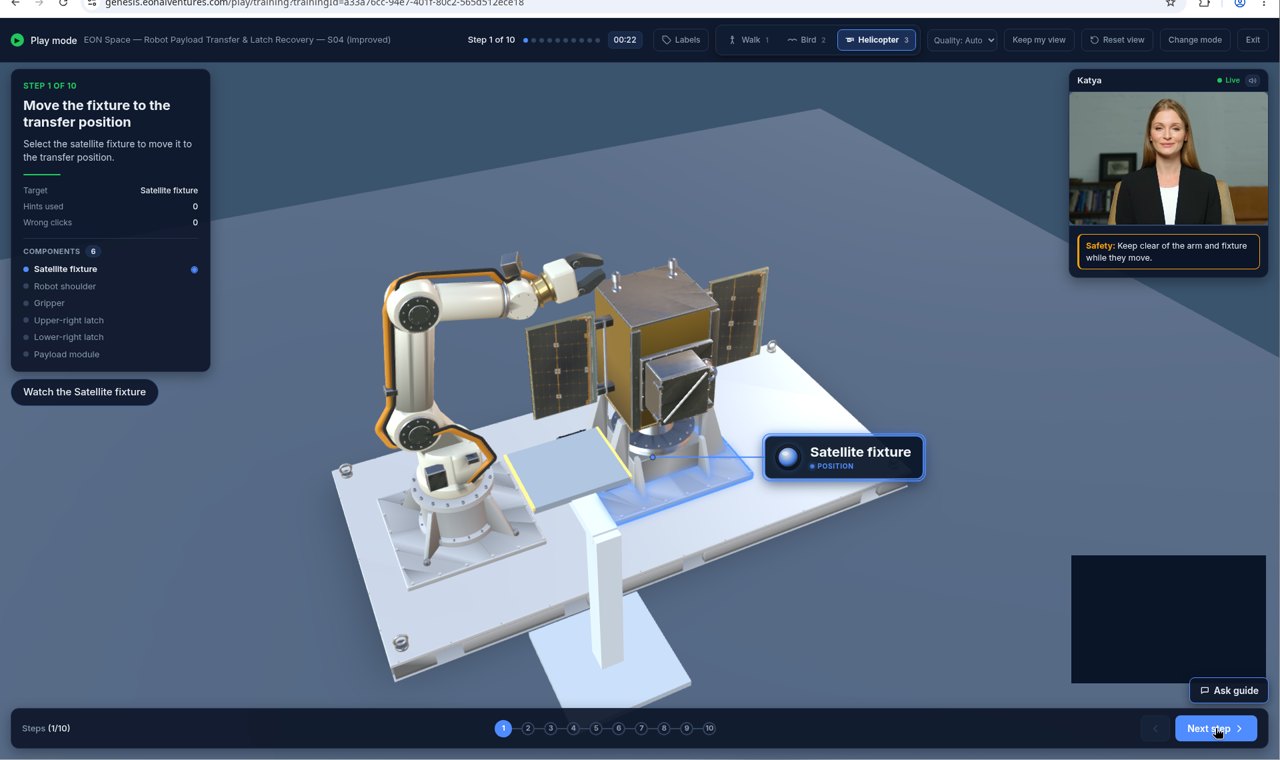
Step 1 in Genesis: the fixture moves to the transfer position. Katya, the AI guide, is top right; the step's safety rule is under her.
3
Record the moves: the new Handover step
This is the one step Robot IQ adds to EON Handover. An operator drives the arm through the procedure in Isaac Sim with a keyboard or a spacemouse (teleoperation), while Handover shows the current step, its part and its safety rule.
10–20 good demonstrations of steps 2–7. Runs that break a rule or fumble are marked and left out.
Linked to the step. Each recording is tied to its Handover step and parts in the eon-task-capture/0 format, so recipe and moves stay joined.
What is recorded: the arm's joint positions, the operator's commands, the gripper, and the wrist and scene camera images, on one clock.
Step 5 is recorded on purpose. In the demonstrations the panel shows the false all-clear, and the operator looks at each latch, finds the lower-right one still closed and opens it before withdrawing.
Reviewed like any step. Recordings go through the same team review as the rest of the record.
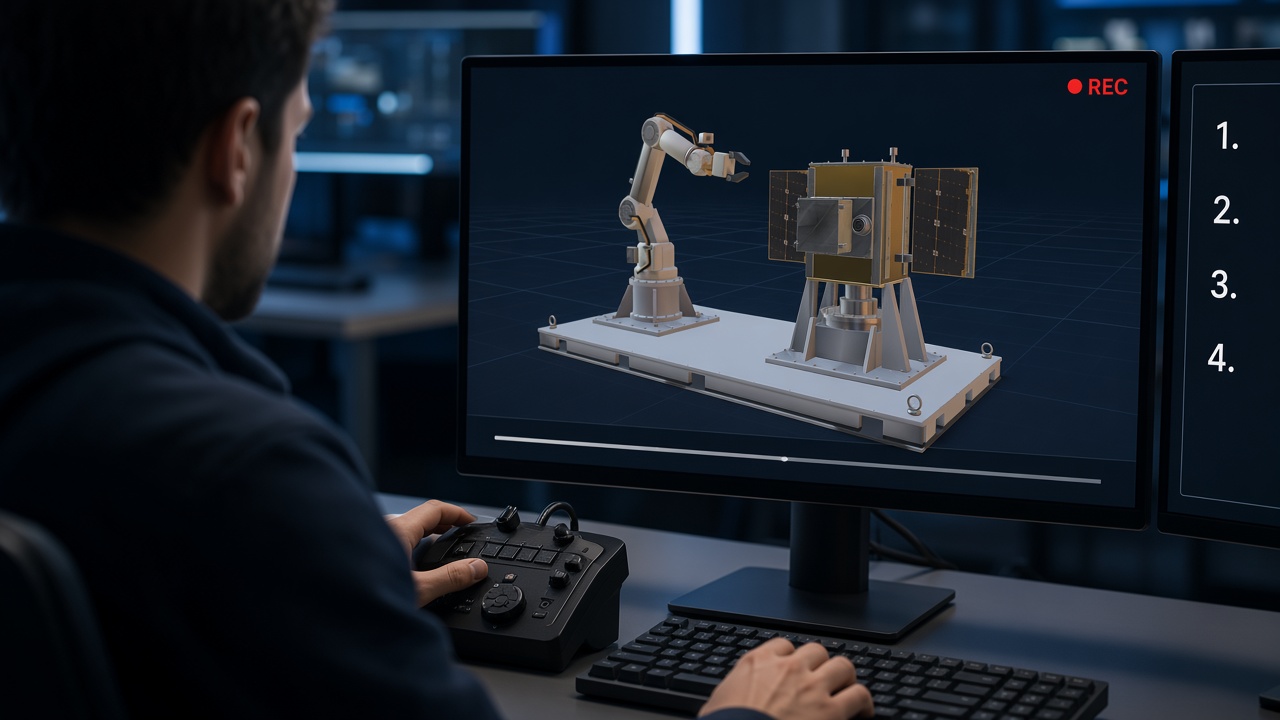
IllustrationAn operator records a demonstration with a spacemouse. The step list stays on the second screen.
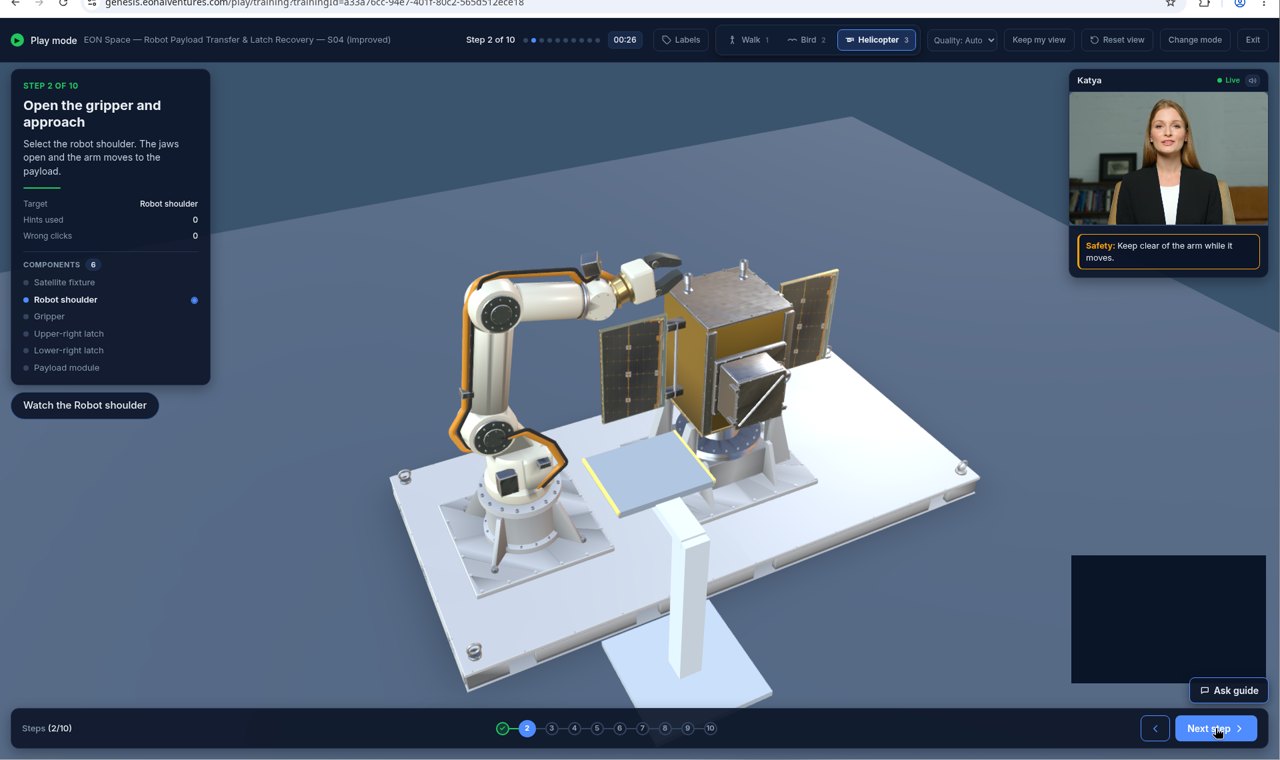
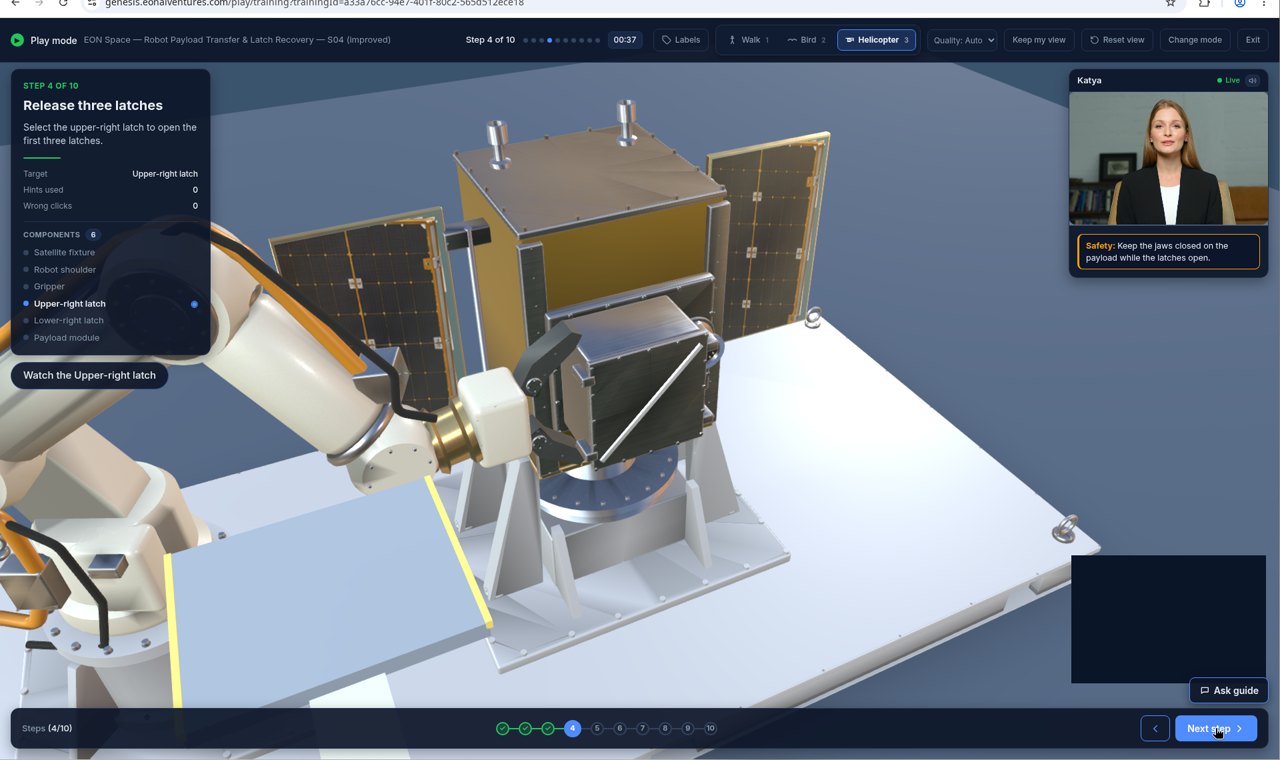
Step 2. Open the gripper and approach.Step 3. Grasp the payload before any latch opens.Step 5. The panel says all open; the lower-right latch is not.
Step pictures are from the EON Genesis training. The recordings themselves are made in the Isaac Sim scene.
4
Practise: a few runs become hundreds
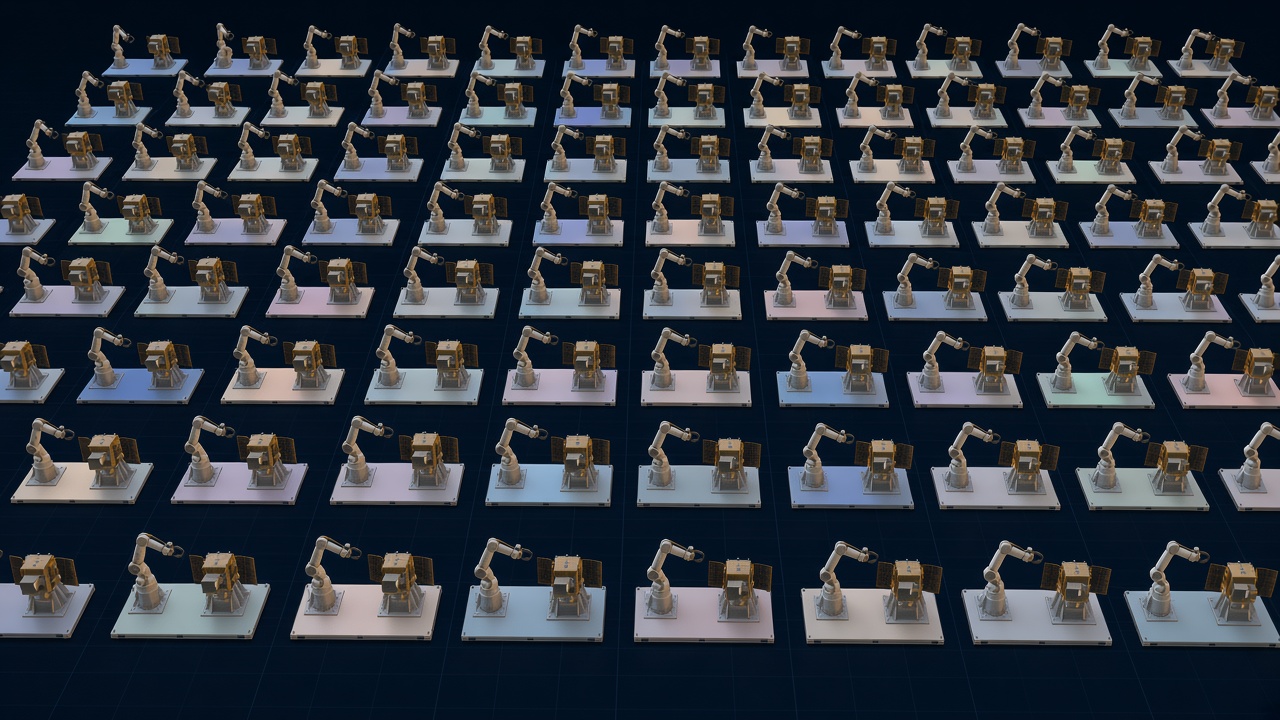
Isaac Lab Mimic, part of NVIDIA's open Isaac Lab, takes the 10–20 good demonstrations, cuts them into their parts (reach, grasp, act, release) and replays them in new variations. The result is hundreds of varied practice runs that no operator had to record.
What varies: where the payload sits, the satellite's angle, lighting, latch stiffness, and which latch the panel wrongly reports as open.
Only good runs are kept. A generated run that ends with a latch still closed, or opens a latch before the grasp, is thrown away.
No new data from people. Everything here is made in simulation from EON's own recordings.
IllustrationMany copies of the scene, each slightly different, practising the same steps in parallel.
5
Train: fine-tune a small robot brain
EON does not build a robot brain from scratch. It takes a small open-weights vision-language-action model that already knows how to see, grasp and move, and fine-tunes it on the latch runs.
The base model: SmolVLA (via Hugging Face LeRobot) or NVIDIA GR00T N1.x.
The compute: one rented cloud GPU, over a few days.
What goes in: camera images, the arm's joint positions and the step's instruction text from Handover, for example "Check every latch; open any still closed".
What comes out: arm and gripper commands, many times a second.
The rules stay outside the model. Speed and force limits, and the done-checks, are enforced around the model, never left to it.
6
Package: the Robot IQ Skill Pack
The trained model is packaged as a Skill Pack. A Skill Pack is software, not hardware: model weights plus a manifest. Nothing is plugged in; it is loaded over the network.
Skill: which procedure and steps it covers, and the instruction text for each.
Robot: the robot body and set-up it was fitted to. A different arm needs a short fitting of its own.
Safety limits: speed and force limits, keep-out zones, person-only steps, and when to stop and ask.
Version: tied to the Handover record version it came from. A change to the procedure makes a new Skill Pack version; old ones are never edited.
Signed. The Skill Pack is signed, so a robot can check it has not been altered.
💾
eon.space.payload-latchRobot IQ Skill Pack · version 0.1.0
The Skill Pack is loaded into the Isaac Sim scene and the arm runs steps 2–7 by itself: approach, grasp, release the latches, catch the false all-clear, withdraw, and place the payload on the inspection stand.
New scenes, not the training scenes. The test changes the payload position, lighting and which latch is wrongly reported, so the arm cannot just replay what it saw.
Every step must pass its done-check. If a check says "not done" or "unclear", the arm stops and asks a person. It never retries silently.
The step 5 test is the one that matters. The arm must never withdraw while a latch is closed, whatever the panel says.
A named person releases it. The test results are stored with that exact Skill Pack version, and nothing reaches a real arm without passing them.
Step 7, the end of the first Skill Pack: the payload rests on the inspection stand before the jaws open. Shown here in the Genesis training.
Built for safety-critical work
The procedure is the authority
The robot follows the approved Handover record, with its named approvals and HSE sign-off. It never makes up steps.
Every step ends with a check
"Not done" or "unclear" stops the arm and calls a person. No silent retries.
Person-only steps stay human
Steps marked for a person, such as locks and tags or signing a permit, are never given to the robot.
Limits outside the model
Speed, force and keep-out limits are enforced around the model. The model can never override them.
Simulation before metal
Each Skill Pack version passes its simulation tests on that robot before it touches real equipment.
Consent and data rights
Recordings train robots only where the expert and the customer agreed. Data that may not be used commercially never enters a Skill Pack.
What's EON, and what's NVIDIA
EON builds what is unique to EON: the know-how, the recipe, the recordings linked to it, and the Skill Pack. The simulator and the base robot models are free and open, from NVIDIA and the open-source community. The robot maker keeps the low-level motor control.
EON builds and owns
EON Handover: the expert's approved procedure, the recipe
EON Genesis: the training and the 3D model of the equipment
"Record the moves": the new Handover step that links each recording to its step
eon-task-capture/0: the format that joins recipe and moves
Scene builder: Genesis model to Isaac Sim scene with joints
Robot IQ Skill Pack: packaging, manifest, safety limits, signing, versions
Robot IQ runtime: runs the Skill Pack, enforces the checks and limits
Customers, fleets and the work itself
NVIDIA and open source provide
NVIDIA Isaac Sim: the free, open robot simulator
NVIDIA Isaac Lab and Isaac Lab Mimic: teleop and turning a few runs into many
NVIDIA GR00T N1.x: an open robot foundation model
SmolVLA and LeRobot (Hugging Face): a small open robot model and its data format
Rented cloud GPU: for the few days of fine-tuning
The robot maker: the arm, its controller and its own safety systems
EON builds on these tools; it does not resell them. NVIDIA and other names are used here only to describe the tools.
From one arm to a fleet
The latch Skill Pack proves the path in simulation. The same path then repeats: on a real arm, in more trades, and across fleets of robots. Every procedure an expert gives Handover is a possible Skill Pack.
NowOne arm, in simulationThe latch Skill Pack runs steps 2–7 on its own in Isaac Sim.
NextA real-arm pilotThe same recipe on a real arm with a customer, for example in oil and gas, with a person approving each step.
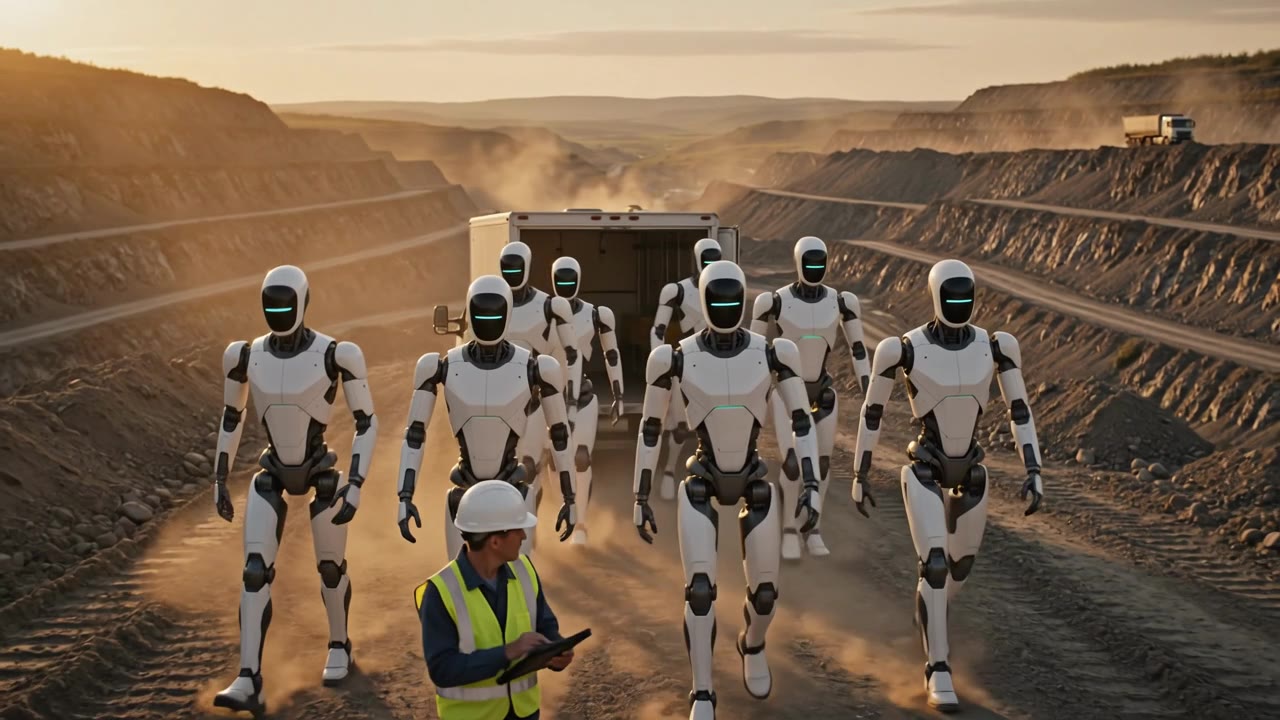
ThenFleets across tradesOil and gas, mining, construction, solar, aerospace: one Skill Pack per job, loaded over the air.
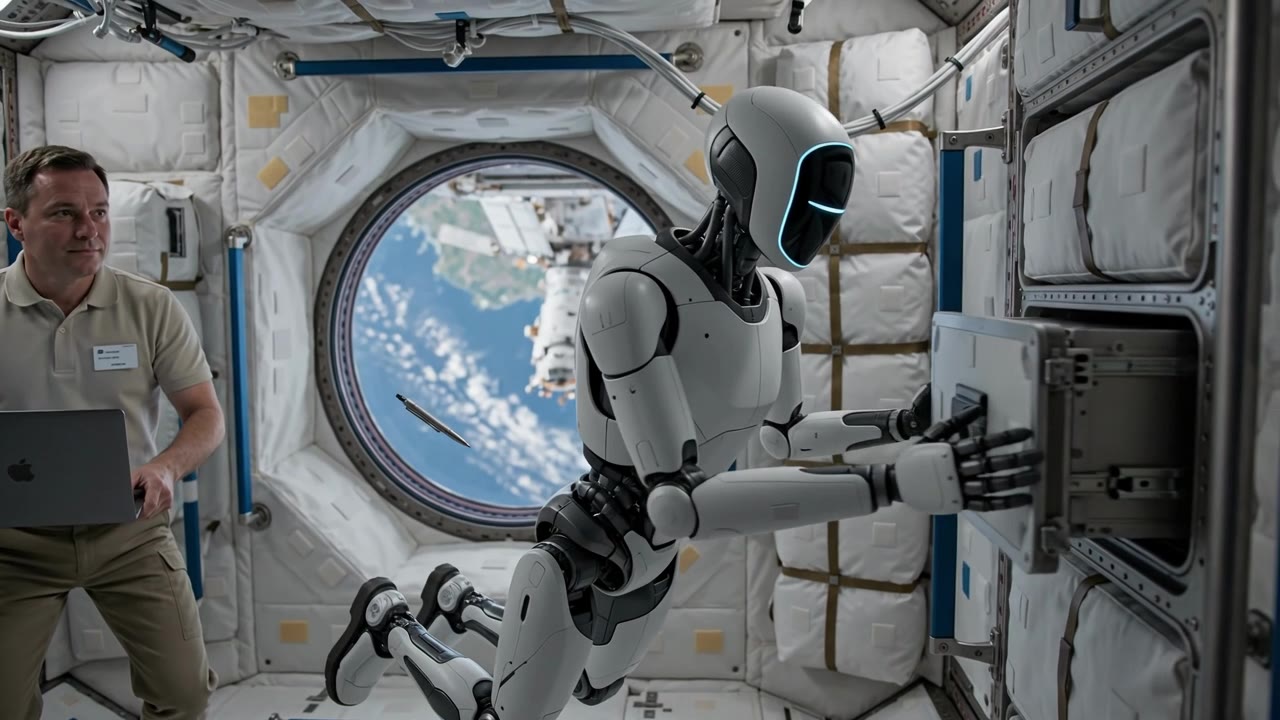
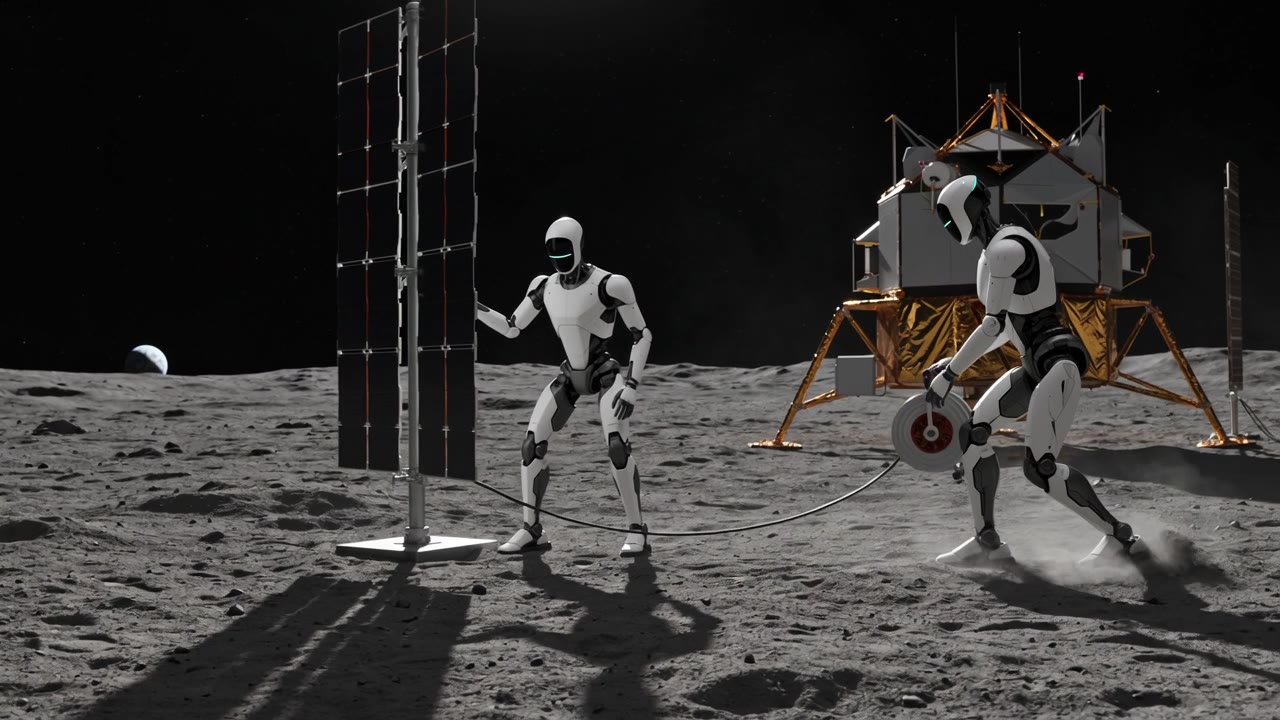
TomorrowEarth today, space tomorrowWhere work is too dangerous for people, on Earth and in orbit.
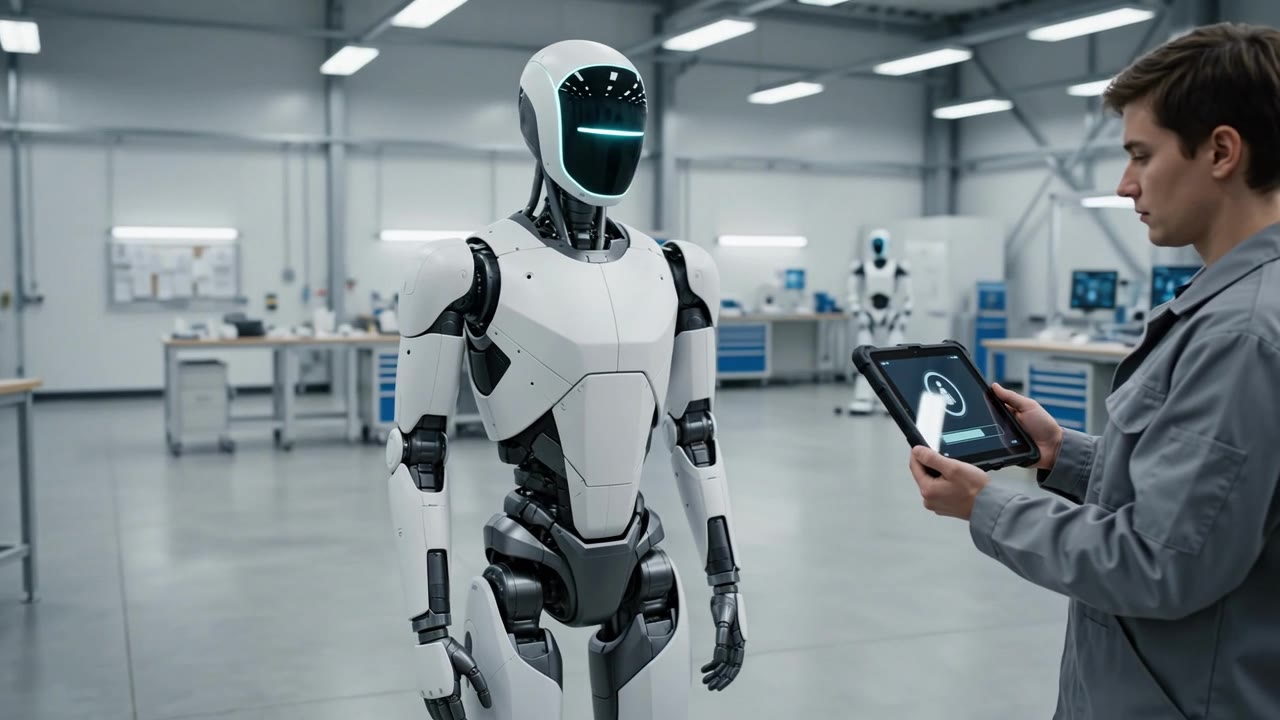
Photos in the second to fourth cards are concept visualizations from the EON Robot IQ Workforce video.
Skill Packs only
For the customer's own robots, or its people through Field IQ.
Skill Packs + robots
EON and partners supply and set up the robots with the Skill Packs loaded.
Robot IQ Workforce
A fleet rented as a skilled workforce for dangerous jobs, with people in charge.
Where this is going
One robot, any skill. Watch the EON Robot IQ Workforce video on the EON AI Ventures YouTube channel.
No. The expert does what they already do in Handover. An operator records the moves in simulation, linked to the expert's steps.
Why not just copy the Genesis animation?
Genesis animations are scripted for people to watch. They contain no joint paths and no physics. A robot needs moves recorded on its own joints, which is why Robot IQ records them in Isaac Sim.
Does a Skill Pack work on any robot?
The recipe works on any robot. The model inside a Skill Pack is fitted to one robot body. A different arm gets a short fitting of its own, from the same recipe.
What does this cost to run?
The MVP uses free NVIDIA tools, open-weights models and one rented GPU for a few days. The main cost is the operator's time to record 10–20 good runs.
Is the robot ever left to decide on safety?
No. Safety rules come from the approved procedure, limits are enforced outside the model, and "not done" or "unclear" always stops the robot and calls a person.